Common Spawner Errors
This document list of common errors the users will encounter while spawning server instances via JupyterHub.
And that job lived "pending"ly forever
While using SLURM spawner, JupyterHub does the same thing as regular
users of Jean Zay: submit a job via sbatch to the SLURM controller
daemon. The only difference is that JupyterHub will wait for this job to
start for a maximum of 600 sec. So, in our analogy forever is just 600
sec which we think is quite apt in this fast world. Users must have
already seen a page shown below:
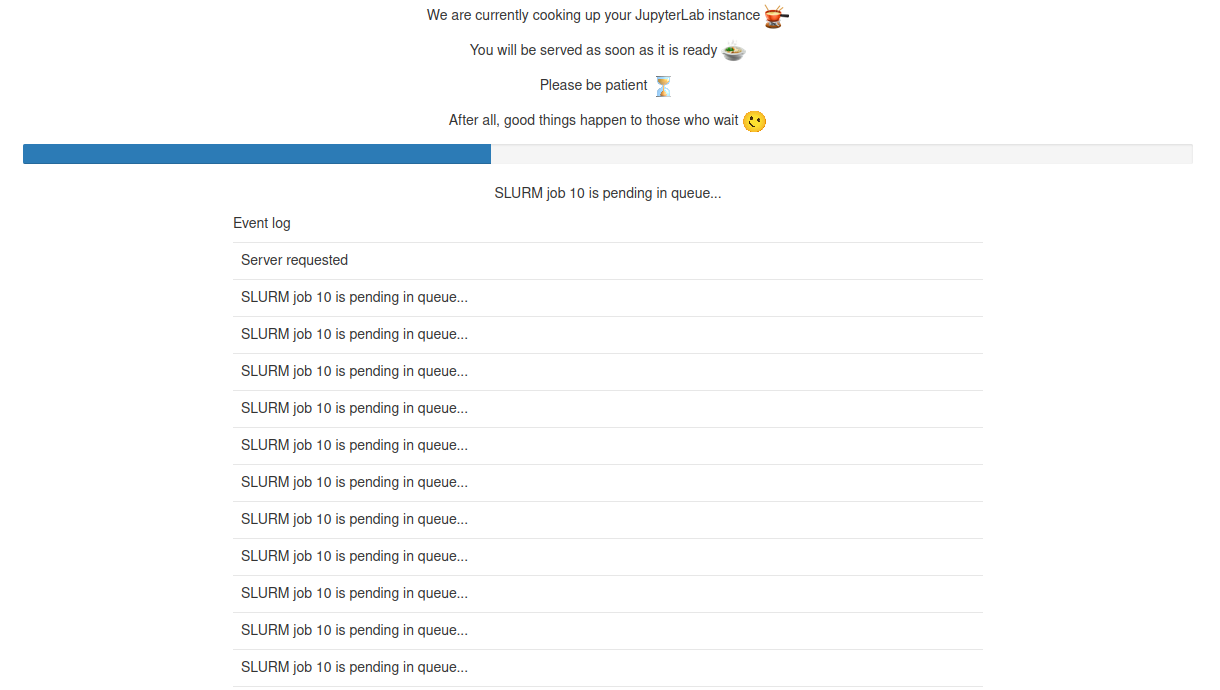
As event log says precisely, the job is pending in the queue and JupyterHub is patiently waiting for this job to spin up and redirect users to their server instances.
If SLURM could not find resources to start this job within this golden window of 600 sec, JupyterHub will kill this submitted job and you will be shown a timeout error as follows:
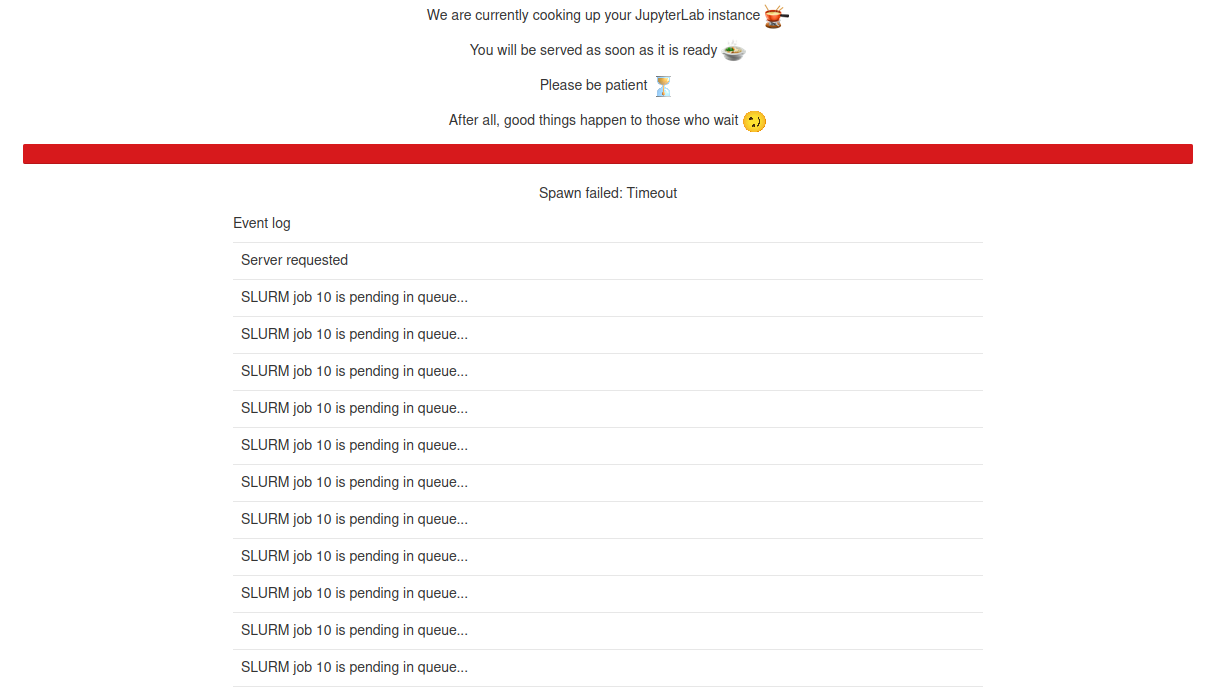
If you end up with a situation as such, try your luck after some time or simply screw it and go have a nice espresso, a good glass of wine or whatever is your thing.
You had your slice of pie mate!!
Obviously spawning a server on a Login node avoids whole SLURM business and users can have server spawned instantly. But we impose hard constraints on resources, i.e., each user can use 1 CPU and 5 GB of memory in total. Imagine an user already have 5 instances of JupyterLab running on this Login node and attempting to start a 6th instance. Assuming that these running 5 instances used up all the resources imposed by global limit, user will be denied to launch any new process. Consequently, user cannot launch any new server instances on this Login node.
If user gets an error in the spawner form as follows, it is quite probable that the user had his/her/their slice of pie and unfortunately pie cannot get any bigger.
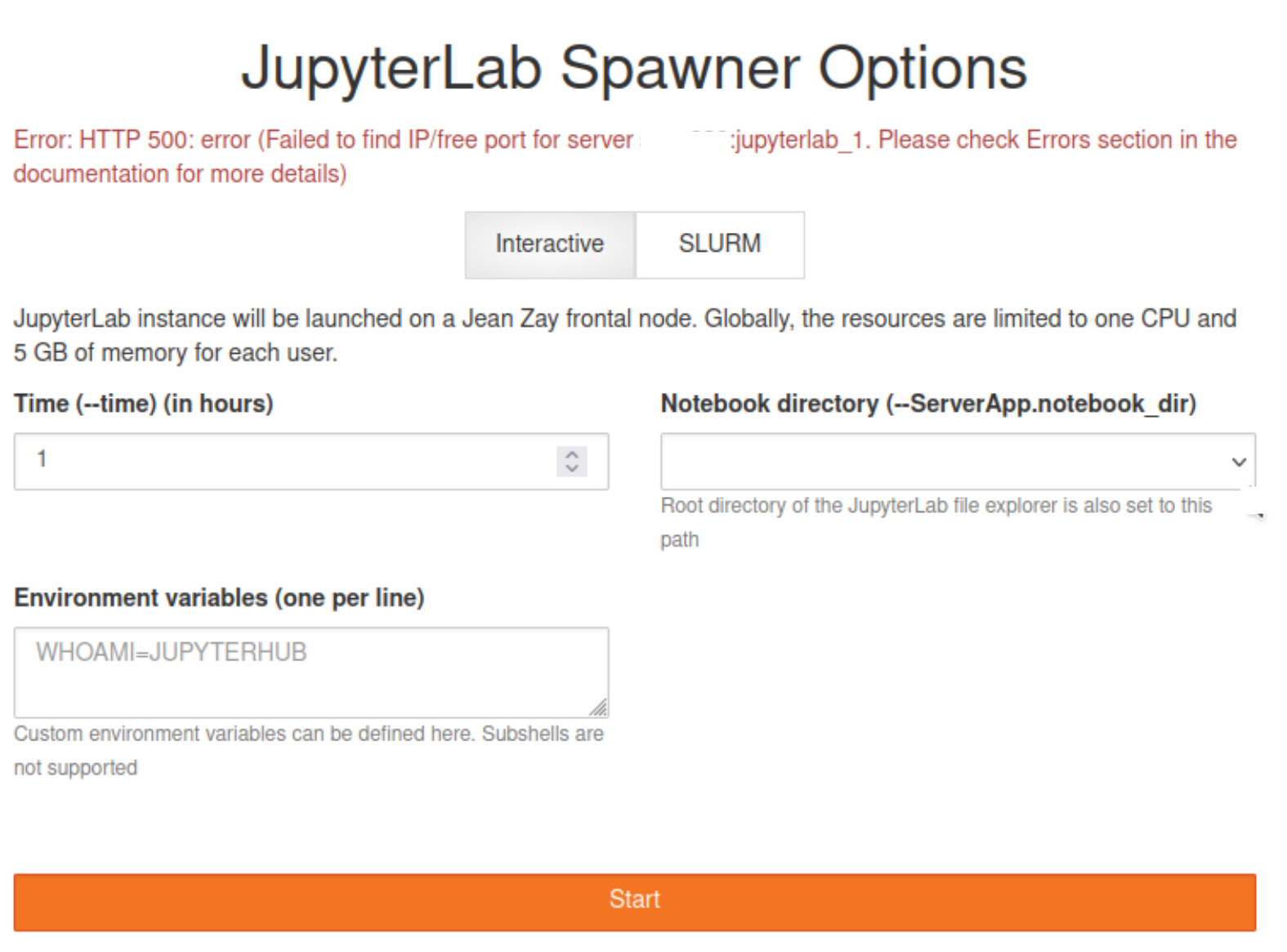
If the user is not running any server instances on Login node and still getting the above error, please contact the support. This is probably due to processes not cleaning themselves up properly from the previous instances and still hanging around to eat your slice of pie.
Oh yeah! Your environment's messed up
Behind the scenes, we need to setup few things before launching server instances. Although JupyterHub does its best to start the server instances in a clean and sanitized environment, things never go to the plan (Just like us humans trying to clean up our own mess). In those cases, spawns will fail with sort of error messages shown below
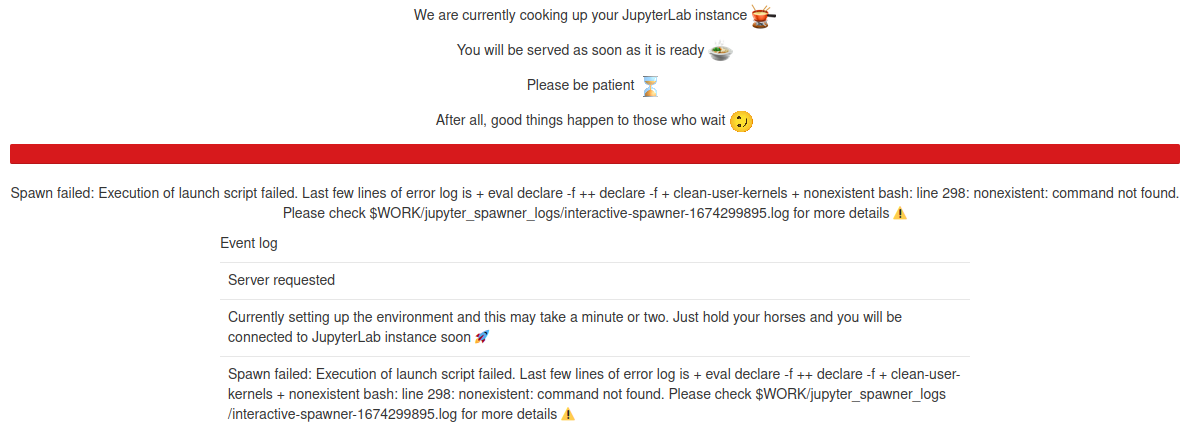
The example shown is an artificial example that is made to fail. These sort of errors will be rare and can occur most probably after maintenances due to vestigial pieces of codes. A first step to diagnose such errors are to check the log files as indicated in the error.