Terminology
What is JupyterLab?
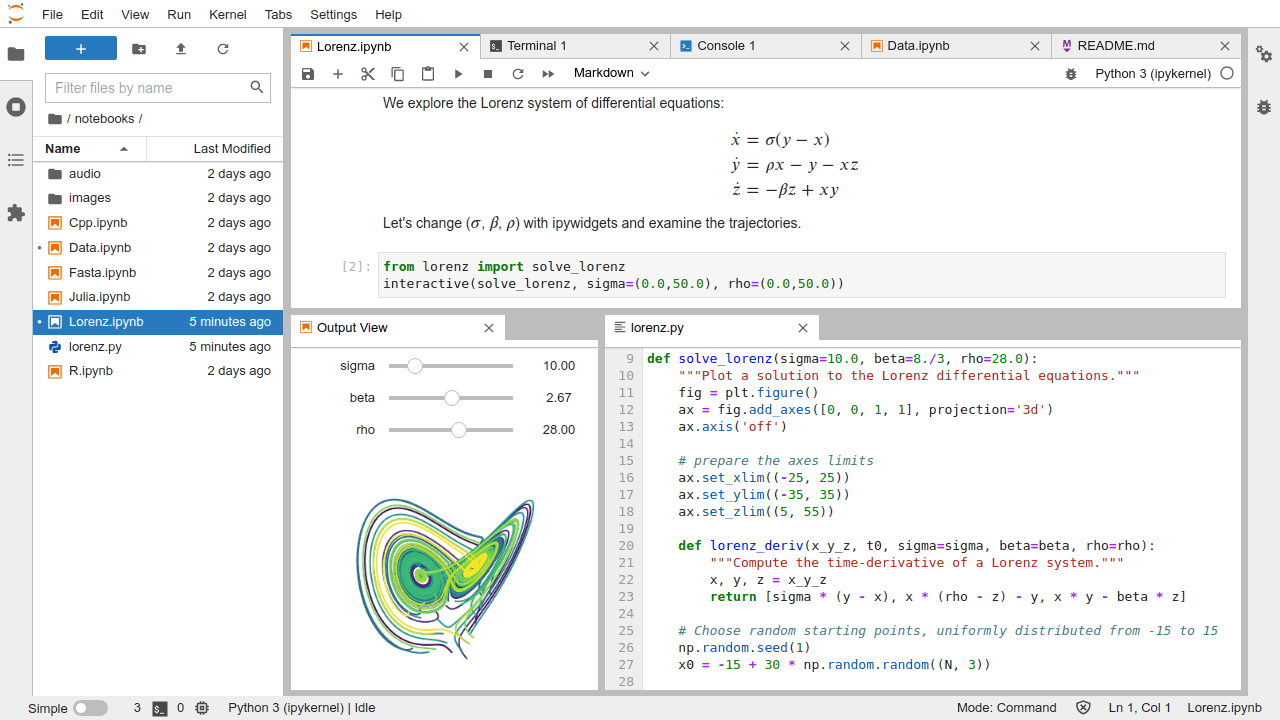
JupyterLab is a next-generation web-based user interface for Project Jupyter.
- Interactive working environment in the web browser
- For the creation of reproducible computer-aided narratives
- Language agnostic
- Supports execution environments ("kernels") for languages like Python, R, Julia, C++, ...
- Extensible software design ("extensions")
- Document-Centered Computing ("notebooks")
What is Jupyter Notebook?
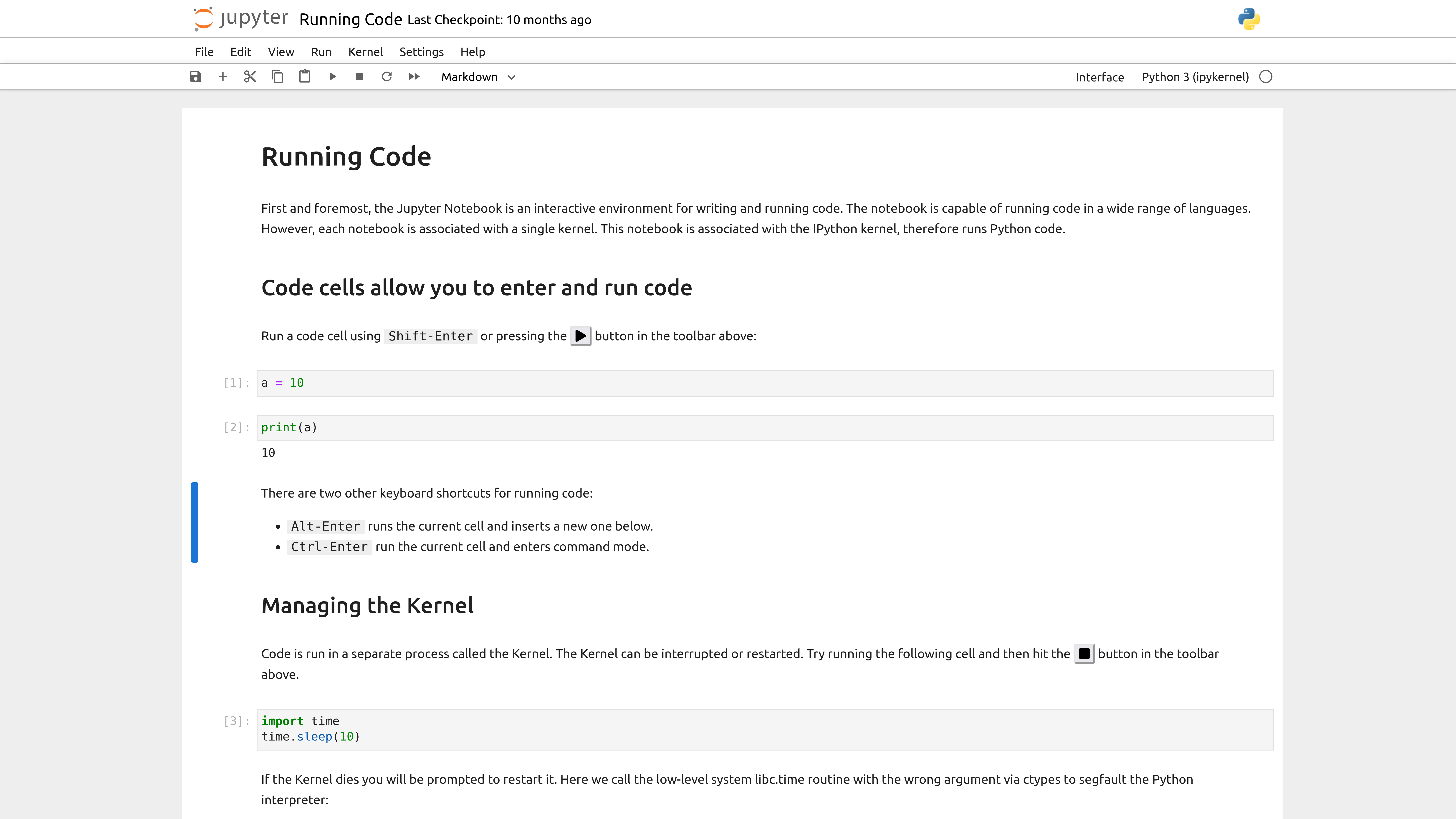
The notebook extends the console-based approach to interactive computing in a qualitatively new direction, providing a web-based application suitable for capturing the whole computation process: developing, documenting, and executing code, as well as communicating the results.
- It is a file, which stores your work in JSON format
- Based on a set of open standards for interactive computing
- Allows development of custom applications with embedded interactive computing.
- Directly convertible to PDF, HTML, LateX, ...
What is Jupyter Kernel?
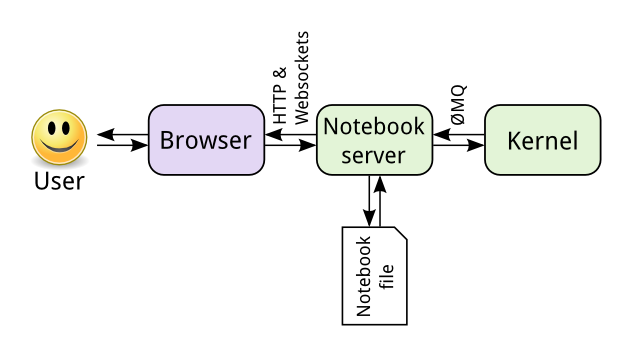
A "kernel" refers to the separate process which executes code cells within a Jupyter notebook.
- run code in different programming languages and environments.
- can be connected to a notebook
- You can easily create your own kernel which for example runs your specialized virtual Python environment.
What is JupyterLab Extension?
JupyterLab extensions can customize or enhance any part of JupyterLab.
- provide new file viewers, editors, themes
- add items to the menu or command palette
- Extensions can even provide an API for other extensions to use and can depend on other extensions
The whole JupyterLab itself is simply a collection of extensions that are no more powerful or privileged than any custom extension.
What is JupyterHub?
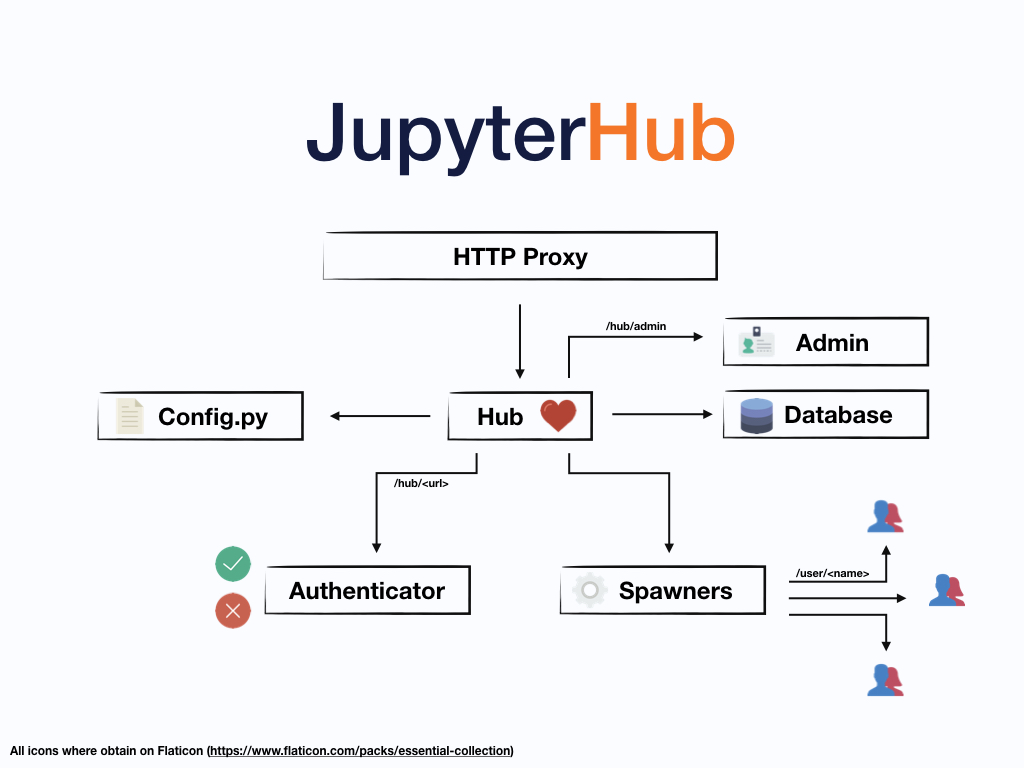
JupyterHub can be used to make Jupyter available to a group of HPC users.
- Creates/manages JupyterLabs for single users.
- Connects JupyterLabs to users via a configurable HTTP proxy.
- Supports custom spawners like SLURM spawner, Docker spawner, ...
- Supports custom authenticators like LDAP, OAuth, ...